
Install Ascent Portfolio
Ascent Portfolio uses PWA (Progressive Web App) technology. Simply 'Add to Home Screen' to get a full native app experience.
We recommend using Google Chrome for the best support.
If the installation button above doesn't work, please follow the manual instructions below.
1
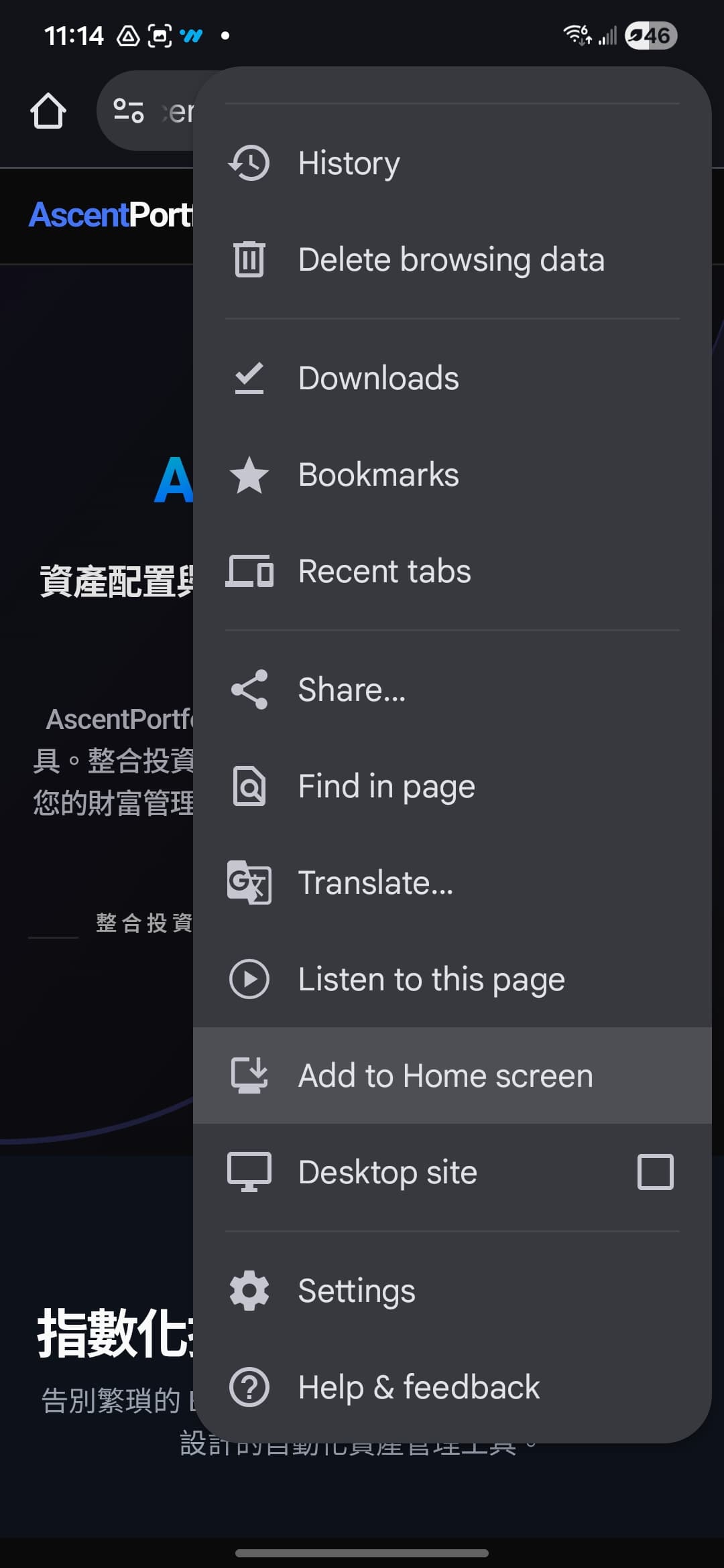
Open www.ascentportfolio.com in Chrome, tap the three dots menu.
2
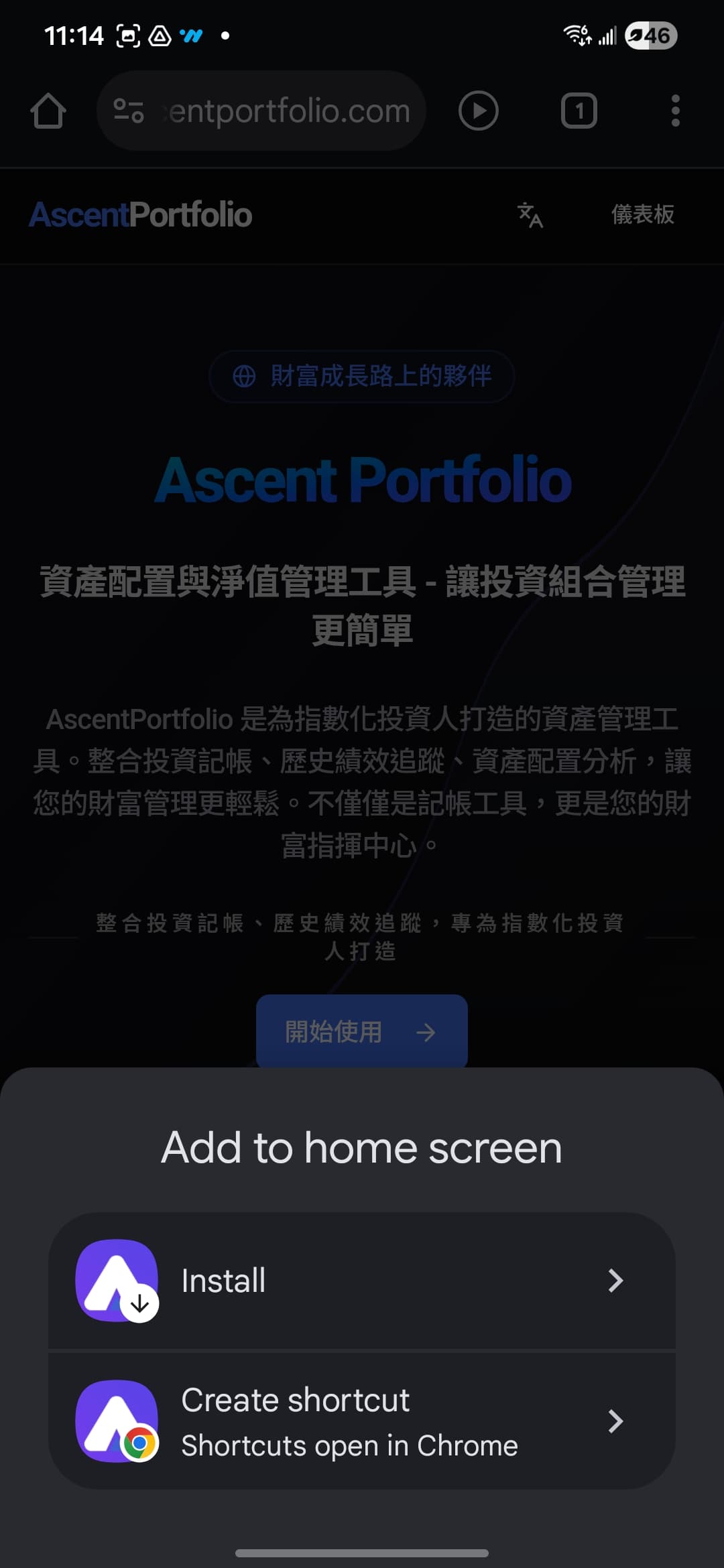
Select Add to Home screen or Install app.
3
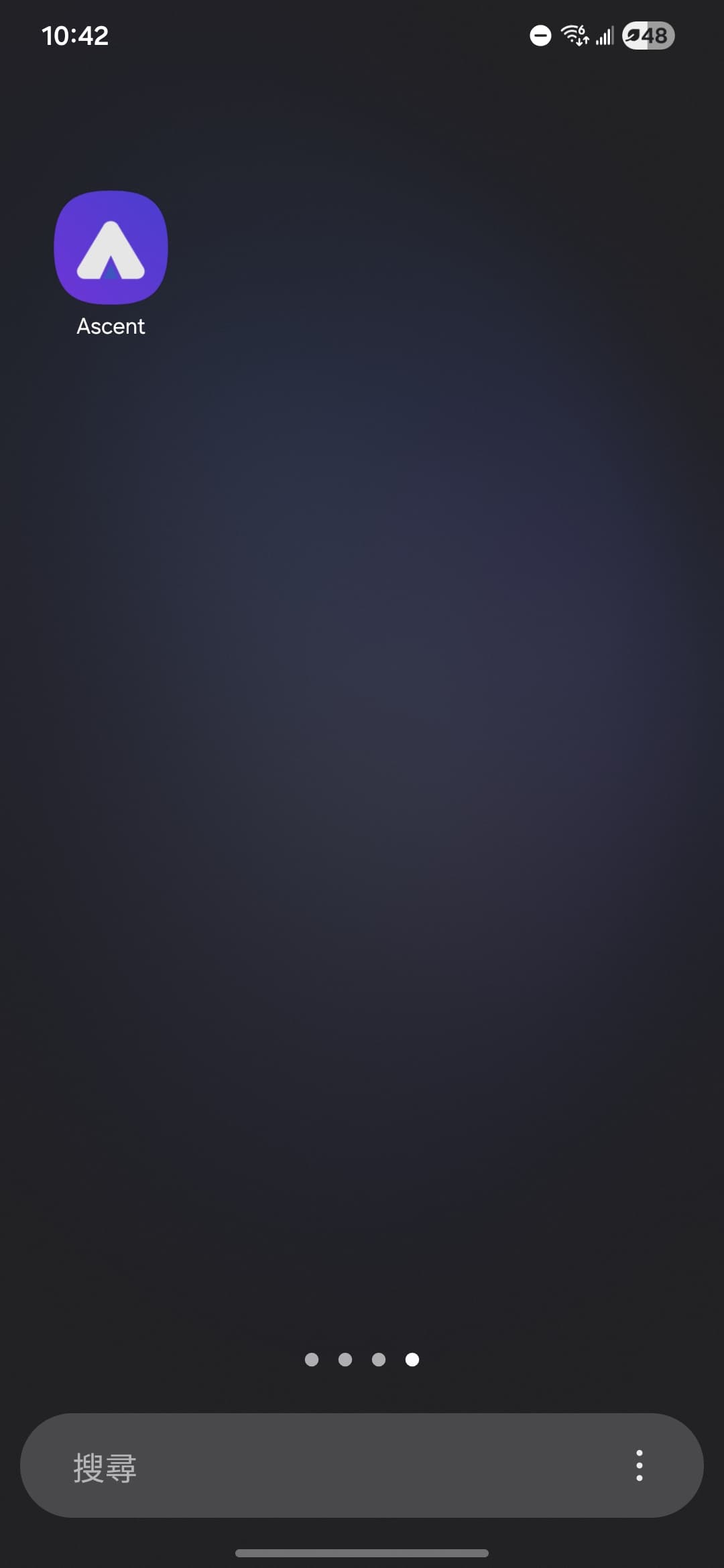
Confirm and the app icon will appear on your device.